
0
1832
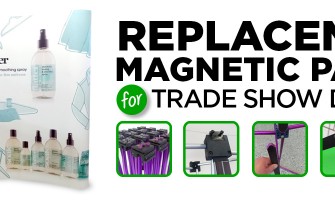
What is a Magnetic Trade Show Display?
There are many types of trade show displays, with many differences from style to style. Some of the best are magnetic panel displays. Basically, a series of panels are held to a frame using magnetic channel bars.They’re easy to put up, last a long time, and are opaque so light does not shine through. Often, th..
0
3735
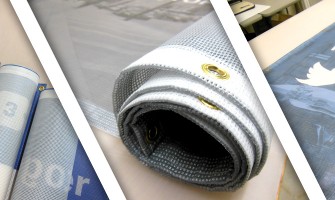
High Quality Construction Banners
Custom construction banners are perfect for use on your site, quickly advertising your company’s logo and information for the duration of your job. These banners are printed on a perforated mesh material reducing wind resistance and making them easy to attach to a chain link fence.
KCBGraphics.com is a leading prov..
0
3359
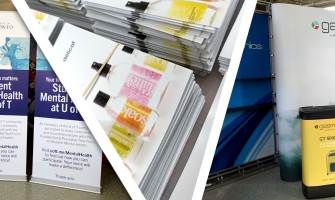
How to Set-Up A File for Print
When creating graphics for print, there are many programs you can use. Photoshop, Illustrator, and InDesign hold the monopoly on graphic design, and to be honest they’ve got the procedure down to a fine art.That said, we have clients that send us files made in Corel, which is totally fine.
The programs you want to ..
0
15526
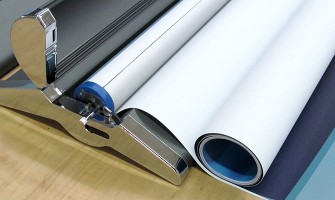
Pull Up Banner Replacement Graphics
So you've got a retractable banner stand that is still in good condition, but the graphics are for an old promotion or event. Do you have a new event approaching, but want to reuse the stand? Good news. You can. Pull up banner replacement graphics are easy to create, and can bring life to an old stand.
You can re..

0
6967
Perforated Window Graphics for BusinessPerforated window graphics are an immensely great way to promote or advertise your business. Big or small, if you've got a window on your storefront and any road or foot traffic at all, you could benefit from impactful and colourful perforated window graphics.KCBGraphics.com is a leading provider of marketing..
0
5873
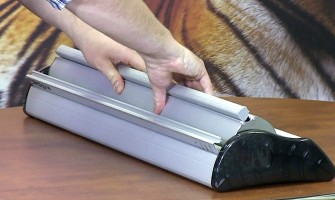
Changing the Graphics on Your Advance or Imagine Banner Stand
Are you considering changing the graphics on your Advance or Imagine banner stand yourself rather than ship it back to us in Toronto for the change out, we'll take you through this process step by step. You can watch a video of the process by clicking the video at the top of this post ..

0
7201
Red Carpet Photo Backdrop Options
Are you hosting a special event, movie premier, corporate promotion or wedding and considering your options for a red carpet photo backdrop?
We've got several options available for your red carpet media backdrop and each comes with their own pros and cons. Before we take you through the options here's a list of add..
0
3815
Are Truss Trade Show Displays a Good Option?Standing out in an exhibit hall crowded with hundreds of other exhibitors is difficult. Truss trade show displays can be an excellent choice for certain marketing scenarios that will give you the opportunity to stand out from the group in a sea of sameness.Truss Trade Show Displays
Truss displays are ava..

0
35248
A spot UV coating is a high gloss finish that is applied to certain graphic elements of a printed, marketing piece. If you're considering printing spot UV business cards or other marketing pieces with a spot coating, you'll need to set up your print ready files a specific way so they're acceptable to your printer. In this video we'll take you throu..
0
2964
When sending a file to your printer, always be sure to convert all your text to outlines.
Here is a scenario.
You’ve got a design for a new tradeshow, banner stand, flyer or even something as simple as a business card. The design is perfect. You love it. You (or your designer) have spent many long hours on the project, matching colours and makin..
0
2175
Trade shows are still a great way to promote your products and meet potential customers on a personal level, but they aren't the same as they used to be. Now it’s not enough to have a good product and some brochures, you need to have a cohesive marketing package that attracts attention and helps to keep the focus on your company.
Technology and soc..
0
2901
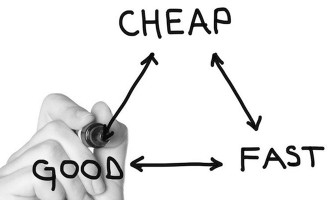
We all want a good product, whether it’s a product we sell, or one that we need in order to make the sale, such as marketing materials or trade show booths. But we also want it fast and don’t want to pay too much. So how do you make the decision on what route to choose – fast and good, fast and cheap, or good and cheap? And what are the advantages..